Pixel Kit — Free Game UI Color Editor
A downloadable tool
Pixel Kit — Free Game UI Color Editor
Choose colors for a small game UI kit, then download the images you need. Save individual parts without cropping, or get every part in one ZIP.
Included in this free demo
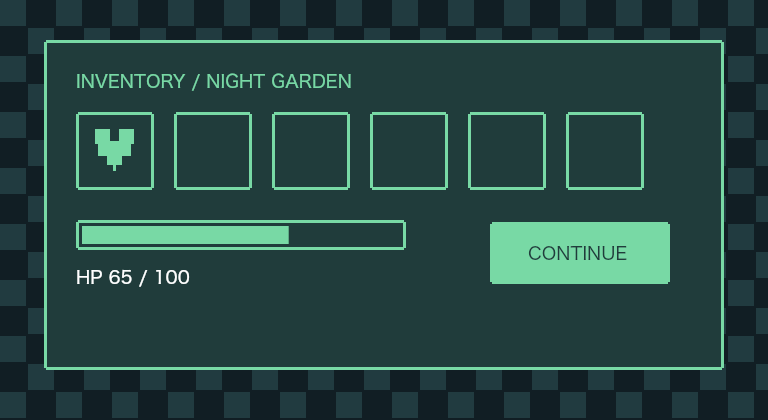
• 11 named parts: a panel, three button states, an item slot, two health-bar parts, a heart, a coin, a cursor and a dialogue box.
• Three color presets and custom border and fill colors.
• 1×, 2× and 4× image sizes.
• Transparent PNGs, a combined atlas and a JSON file with crop positions.
• Settings you can save and reopen later.
• Japanese or English interface, selected from your browser preference, with a manual language switch.
How to start
1. Download and unzip pixel-kit-demo-v04.zip.
2. Open 01-pixel-kit.html in your desktop browser.
3. Choose colors, then save a part or download the complete ZIP.
No account, API key, subscription or network connection is required to use the downloaded editor.
Before you download
This is a small prototype released for feedback. It does not include automatic Godot or Unity import, fonts, or automatic saving. Save the settings file before closing the page if you want to reuse your choices. Preview text is not included in the exported images. Mobile use and every browser/OS combination have not been verified.
Generated images
You may modify the generated images and include them in personal or commercial projects without attribution or royalties. Do not resell the images as a standalone asset pack. No third-party graphic or font files are bundled. The code was created with AI assistance; the shapes are drawn by code rather than generated by an image model.
Feedback
Could you use the images in your project? Which part or step was missing or confusing? Comments about actual use will guide the next version. This demo is free; no purchase is required.
Download
Install instructions
Unzip pixel-kit-demo-v04.zip, then open 01-pixel-kit.html in your desktop browser. No installation or internet connection is required. Save your settings before closing the editor.
Leave a comment
Log in with itch.io to leave a comment.